Velo Client 1.4: a whole new Velo
A new launcher design, new in-game menus with live previews for every module, and Velo World - a game to explore right on your Home page.
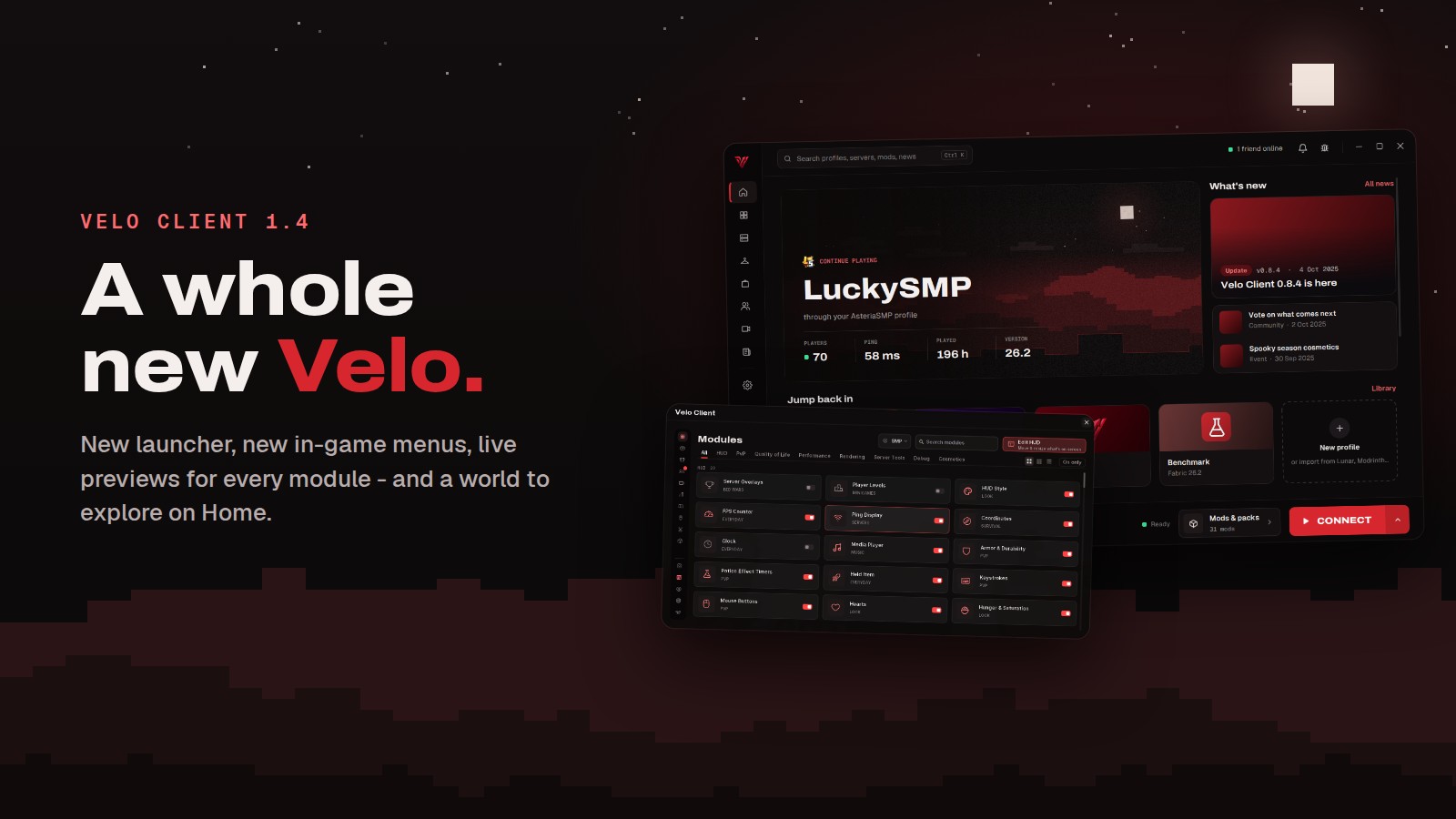
Velo Client 1.4 is our biggest redesign yet: the launcher and every in-game menu got a new look, modules show you what they do before you turn them on, and Home has a whole world hidden in it.
A new launcher
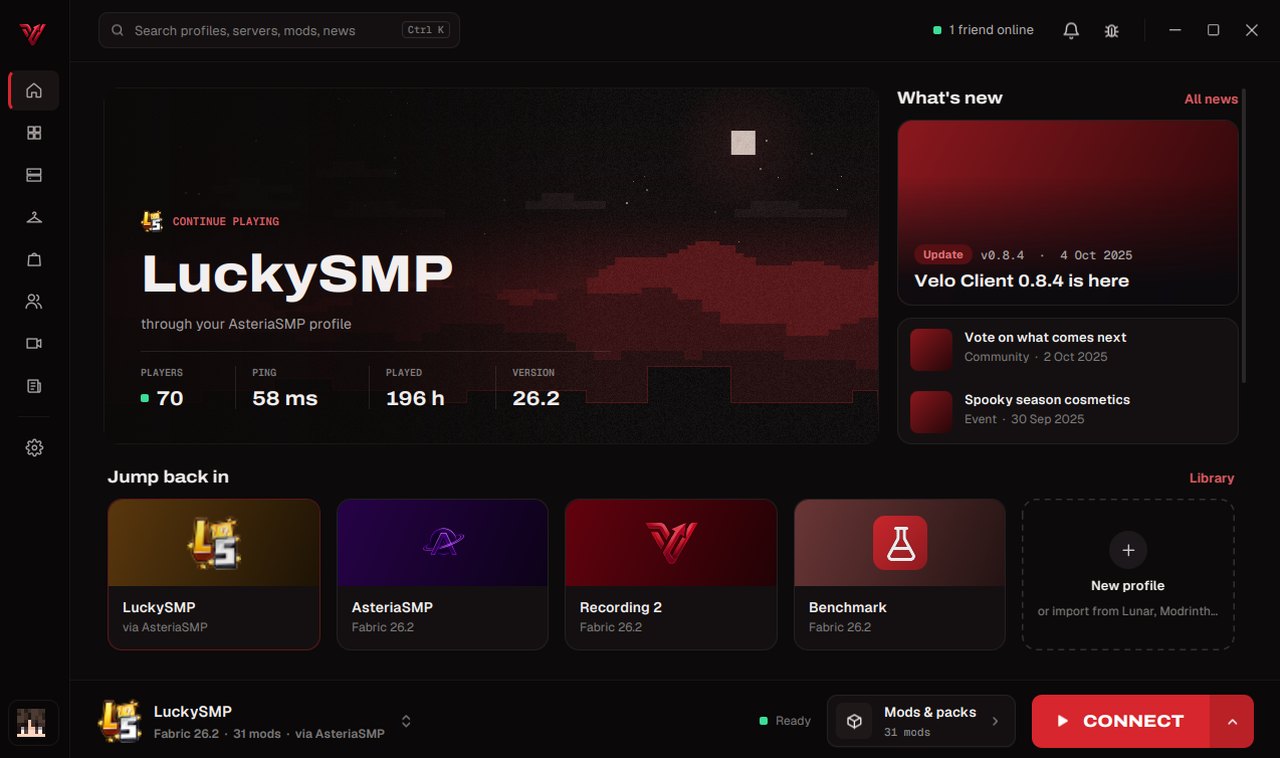
- New Home with a moving night sky, your skin standing on the ridge and your last profiles one click away
- Sidebar navigation, new fonts and calmer colours on every page
- Updates now open a proper window with what's new and Restart to update
- Friends: the chat opens next to your friends list, so every button stays in reach
- Faster Store, a scrollable version picker, and a Kill button when a game doesn't close
Velo World
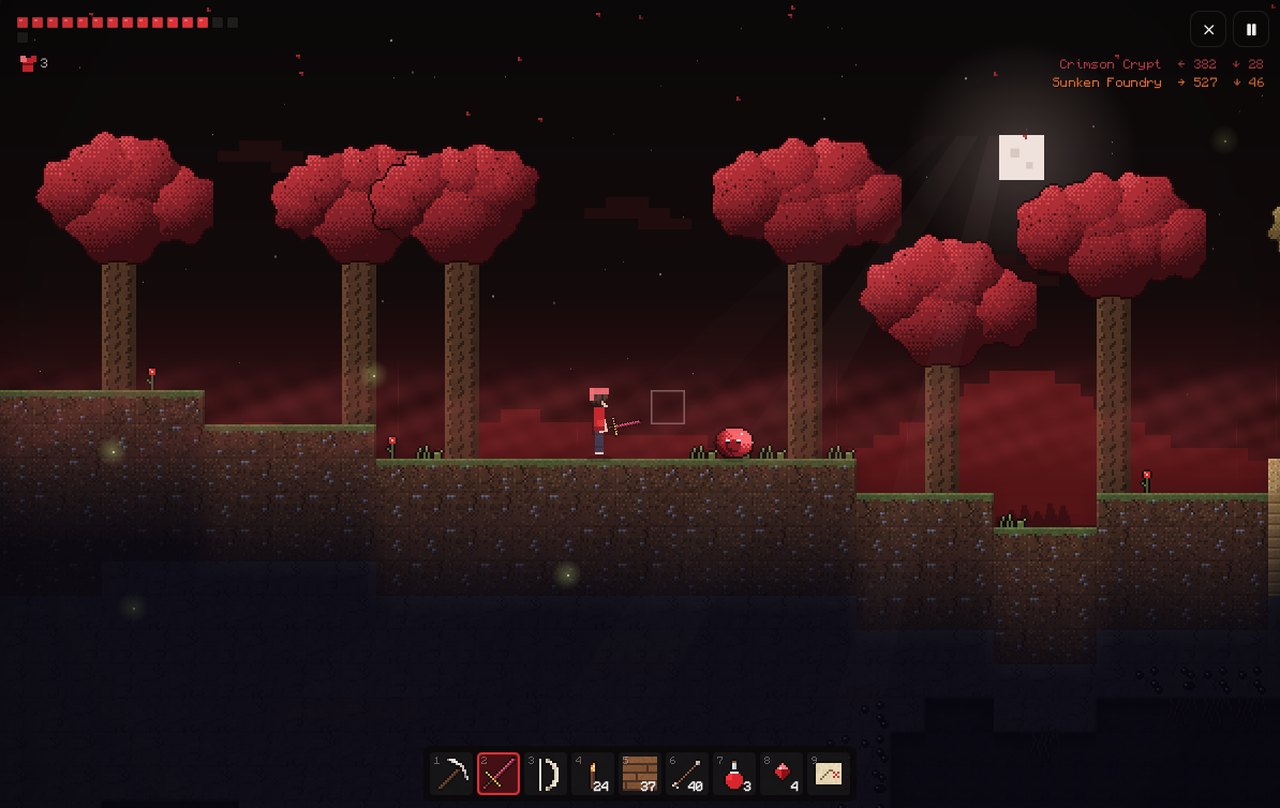
- A side-scroller right in the launcher: forests, deserts, caves, villages, dungeons and hard bosses
- Water and lava that really flow - dig under a pool and it drains; you can swim (even in lava, briefly)
- Craft at a workbench, mine your way down, and meet the trader once you have an iron pickaxe
- Play together: everyone in your party joins the same world
- Snake and Blockfall are in there too, with new, calmer music and separate music and sound volume
New in-game menus
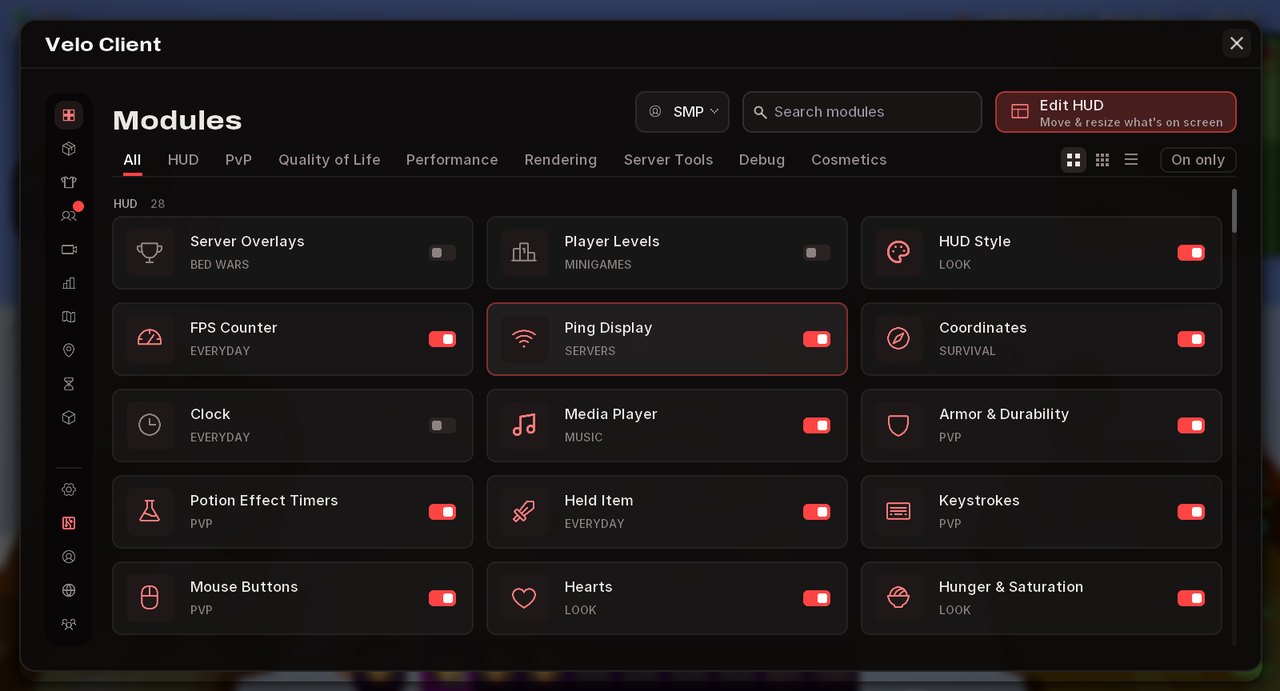
- Opens on All modules; one click opens a module
- Switch between big cards, compact cards and a list
- A clear Edit HUD button to move and resize what's on screen
- The scrollbar can be dragged now
Live previews for every module
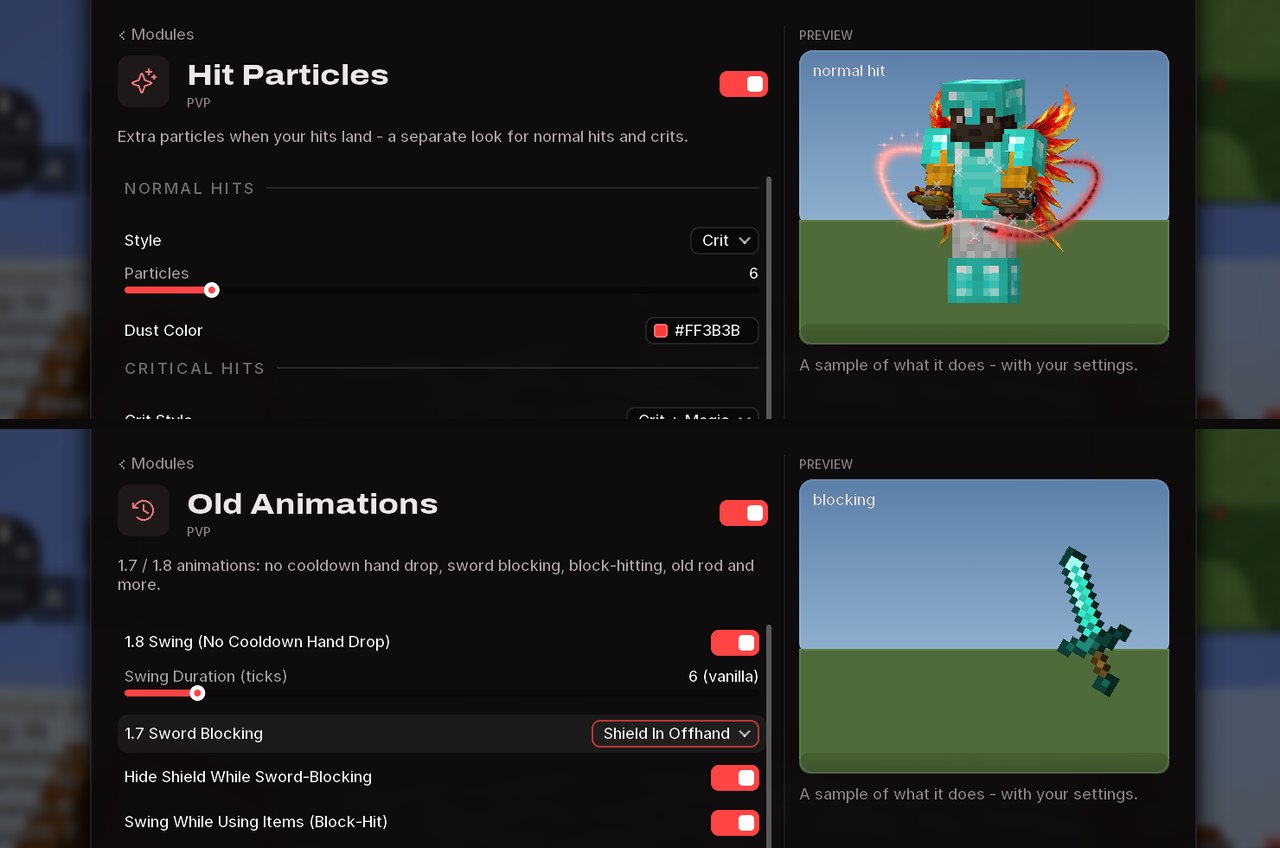
- Every module that changes how something looks shows it next to its settings: hit particles, old animations, low fire, item physics, block outlines, crosshairs, HUD elements and many more
- Previews use your settings - change a colour or a slider and watch it change
- Cosmetic modules you switch off disappear from the preview too
Locker, Store and Friends in game
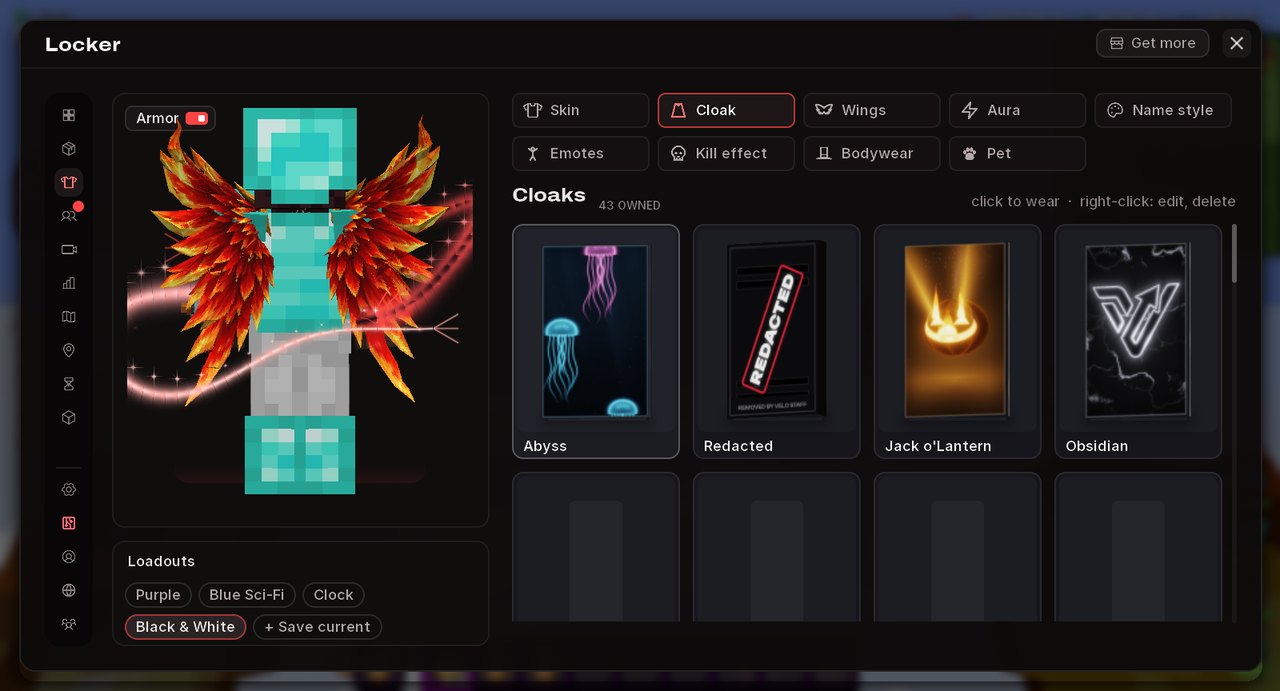
- Locker like in the launcher: one click to wear, right click for everything else
- Show or hide your armour in the preview, and save looks as loadouts
- The Store got the launcher's look too
- Friends is one window now: requests, party and chat in one place
Velo Rewind fixes
- You're back in your own recordings - also in ones you already made - and in the players list, with your pet following you
- Recording keeps going when a server moves you (lobby to arena and back)
And more
- Better Tab List rolls open and closed (switch it off with Open Animation)
- Launcher Doctor fixes more crashes for you: Sodium and Iris versions that don't fit, the Windows narrator, Smart App Control blocking the sound library, and shader packs that don't work on Vulkan
- Old Java 8 launch options no longer stop the game from starting
- The AFK frame limit can be switched off, and chunks no longer reload when Performance Boost changes its preset
- Performance Boost shows your average in-game FPS
- A faster HUD, and server messages about blocked modules show only once per server
- Lots of small fixes in the Locker, Store, profile pages and bug reports
Get the update: the launcher updates itself. New here? It's free.
Download MQL Client